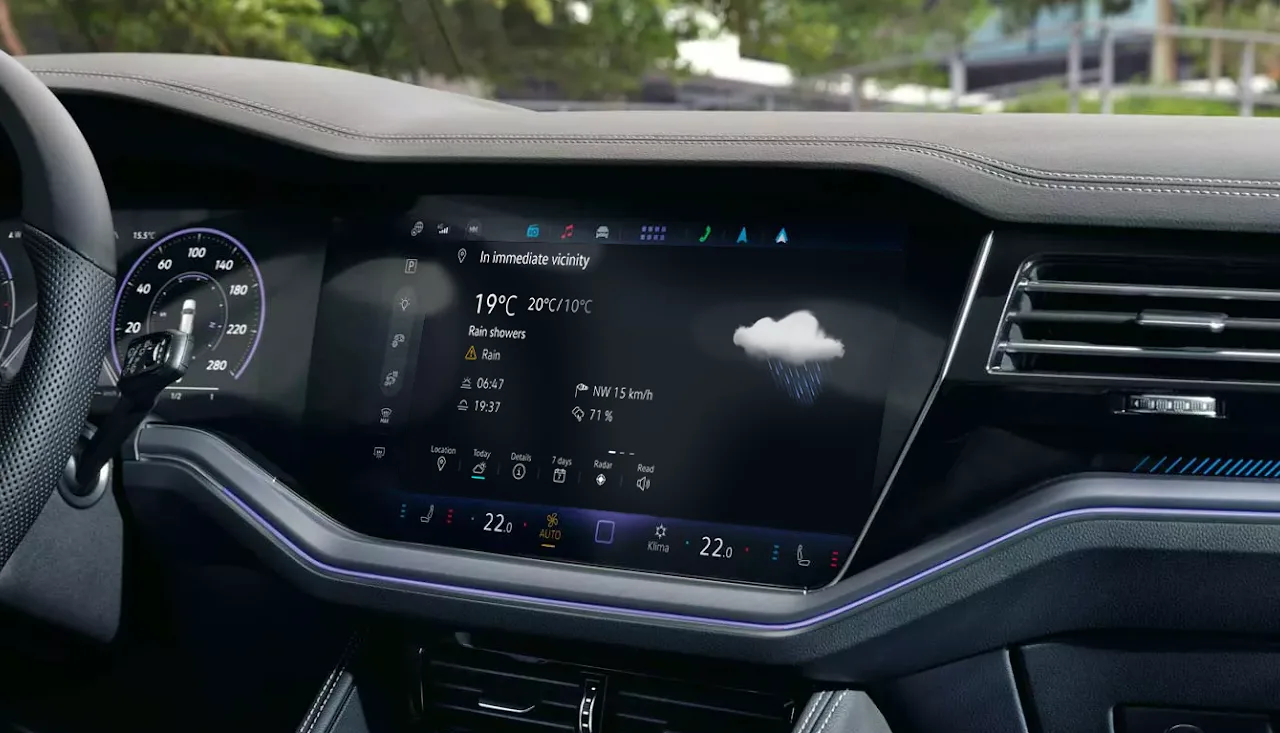
I designed five web apps for the infotainment system of the Volkswagen Touareg: Weather, News, Online POI Search, App Updates and Legal information. Useful while driving, without taking the driver's eyes off the road.
Volkswagen · Touareg · automotive HMI
UX/UI designAutomotive HMIUX researchDesign system
Role
UX/UI Designer
Timeline
May 2021 – Mar 2024 · 3 years
Team
1 PM, 4 POs, 2 QA, 2 developers
Platform
In-car infotainment
(The question)
How do you deliver essential information without compromising driver attention or safety?
(The story in 32 seconds)
From Problem to Solution
01 · The problem
A short film. A car drives at night; the driver switches between a map with place reviews, the news and a weather app on the phone, while a counter shows 4.6 seconds with eyes off the road. A soft sweep reveals the solution: in the real Touareg, the weather app shows the forecast at a glance, the news app reads headlines aloud, and a place is found and the route started with one tap. The film ends on the car interior in its ambient light.
01 · The problem
Information That Pulls Eyes off the Road
Drivers want weather, news and places while driving, and often reach for their phones to get them.
Every glance at a small, busy screen is time without attention on the road, and that is not safe for the driver.
Complex real-time data had to fit the strict safety rules of a driving interface.
The solution
Real-Time Information, Designed for a Glance
Weather for the current location, the destination and saved places, with a 7-day forecast.
News that reads itself aloud, so drivers listen instead of read.
Online search for places by voice, with clear results and one tap to start the route.
Context
Product
Five web apps for the Touareg infotainment system: Weather, News, Online POI Search, App Updates and Legal information. They run inside a native HMI with strict safety rules.
Users
Drivers who need real-time information delivered safely and intuitively while driving, from people who love technology to those who prefer simple interactions.
Business goal
Strengthen the Touareg infotainment ecosystem with services that raise the product's perceived value, create reusable patterns for future models and keep the brand consistent.
Constraints
Turn complex flows into interactions that are safe while driving.
Make web apps behave like native components, within technical limits.
One design system across several apps and future HMI standards.
Alignment across PMs, developers, suppliers and stakeholders.
The challenge
Four Things to Solve at Once
A unified design system
The apps had to adopt the Touareg's new visual identity and interaction patterns.
Technical constraints
Web apps had to fit seamlessly into the native HMI, with strict performance rules.
Multi-team alignment
Every decision needed agreement from the client's design team, PMs, developers, suppliers and POs.
Simple, low-distraction flows
Real-time weather, news and places had to become clean interfaces a driver can read at a glance.
02 · My role
UX/UI Designer
I designed the in-car apps over three years in a cross-functional team of 1 PM, 4 product owners, 2 QA and 2 developers, working closely with the client's design team, suppliers and HMI specialists.
03 · Process
Research → Alignment → Flows → Handoff → Testing
Research & Technical Grounding
Competitive analysis across major automotive ecosystems.
Technical documentation and system limits: what the in-car apps could and couldn't do.
HMI rules for safe driving: touch, voice and steering-wheel controls.
Ideation & Cross-Functional Alignment
With the client, product owners, technical teams, suppliers and HMI specialists, I worked through three questions:
How much text is possible without harming readability?
How many interaction steps are acceptable while driving?
Which data is essential and which is optional, given the API limits?
User Flows
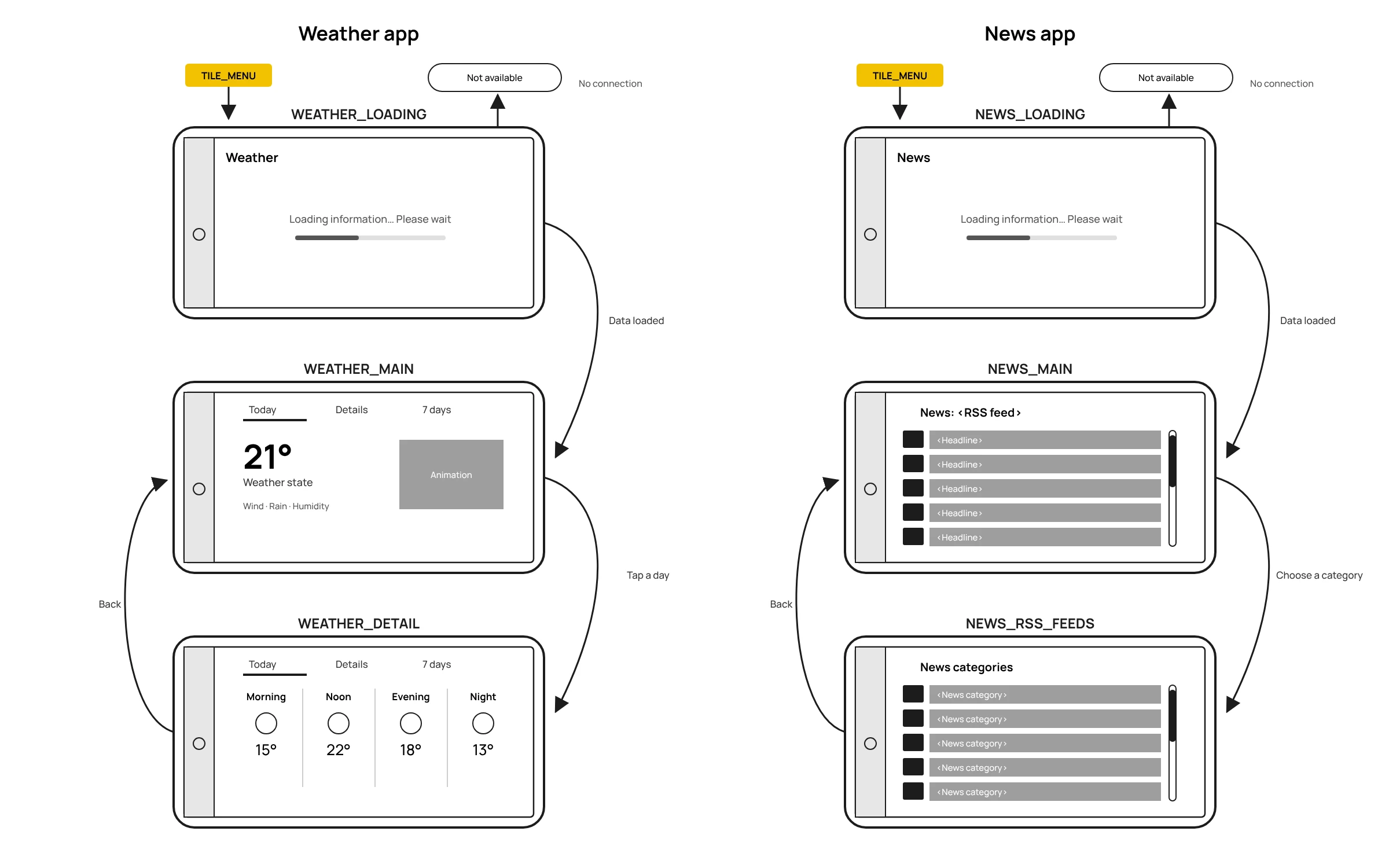
Wireflows for the Weather and News apps, redrawn without confidential details.
Faster Handoff with Sympli
The project used hand-made graphic specs. I moved the visual handoff to Sympli, a handoff platform similar to Figma Dev Mode, where developers inspect the UI directly. Written specs remained only to explain behaviour and interactions.
Testing in the Simulator and on the Road
Usability tests in realistic driving simulators and in a real car showed problems that static prototypes missed, especially around glanceability and touch accuracy.
The solution
Final Screens
Weather
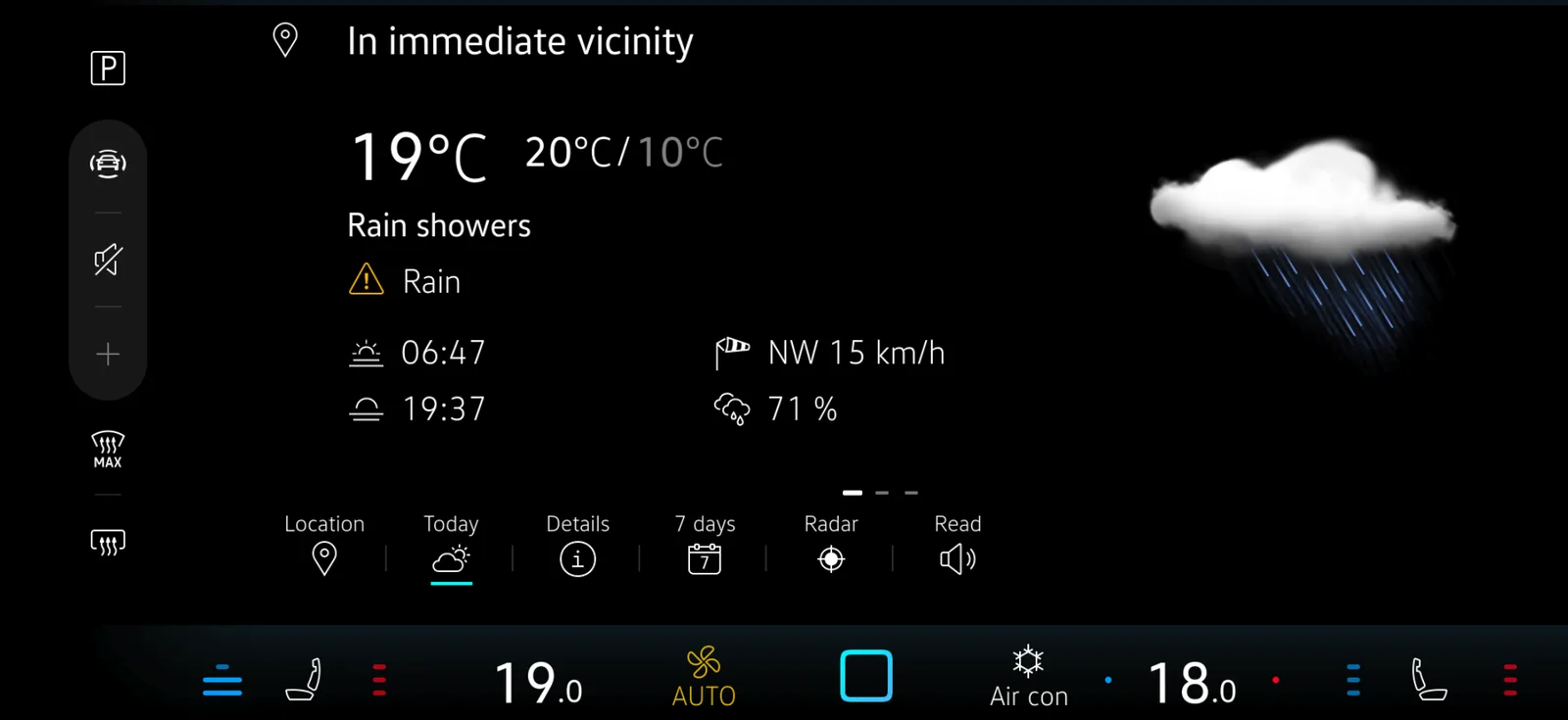
Real-time weather for the current location, the destination and saved places, with a daily overview and a 7-day forecast.
WhyA layout for quick scanning while driving: temperature, wind and alerts have a strong hierarchy, readable at a glance.
News
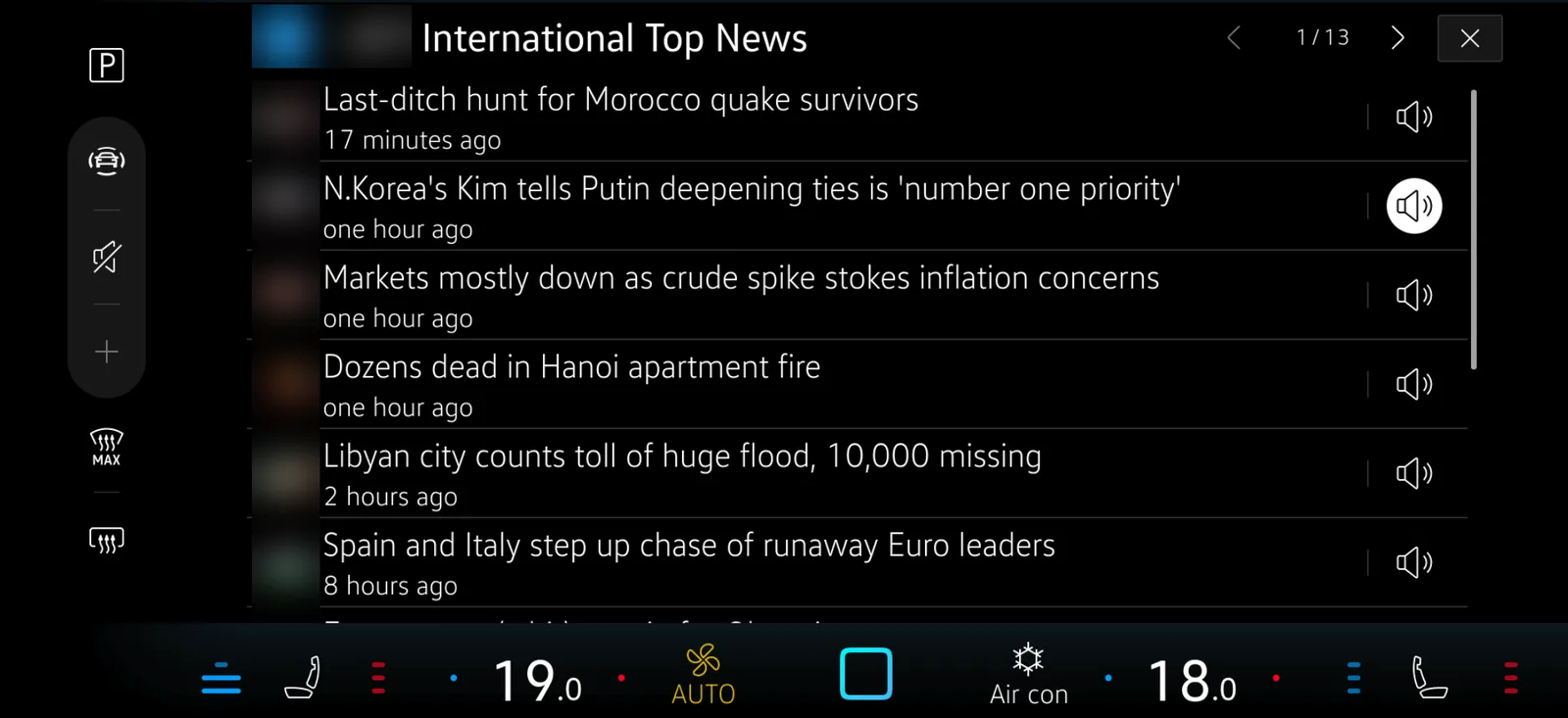
Customisable news feeds with a streamlined reading layout and text-to-speech, so drivers can follow the news hands-free.
WhyA clear hierarchy supports quick understanding, and speech output makes the content safe to use while driving.
Online POI Search
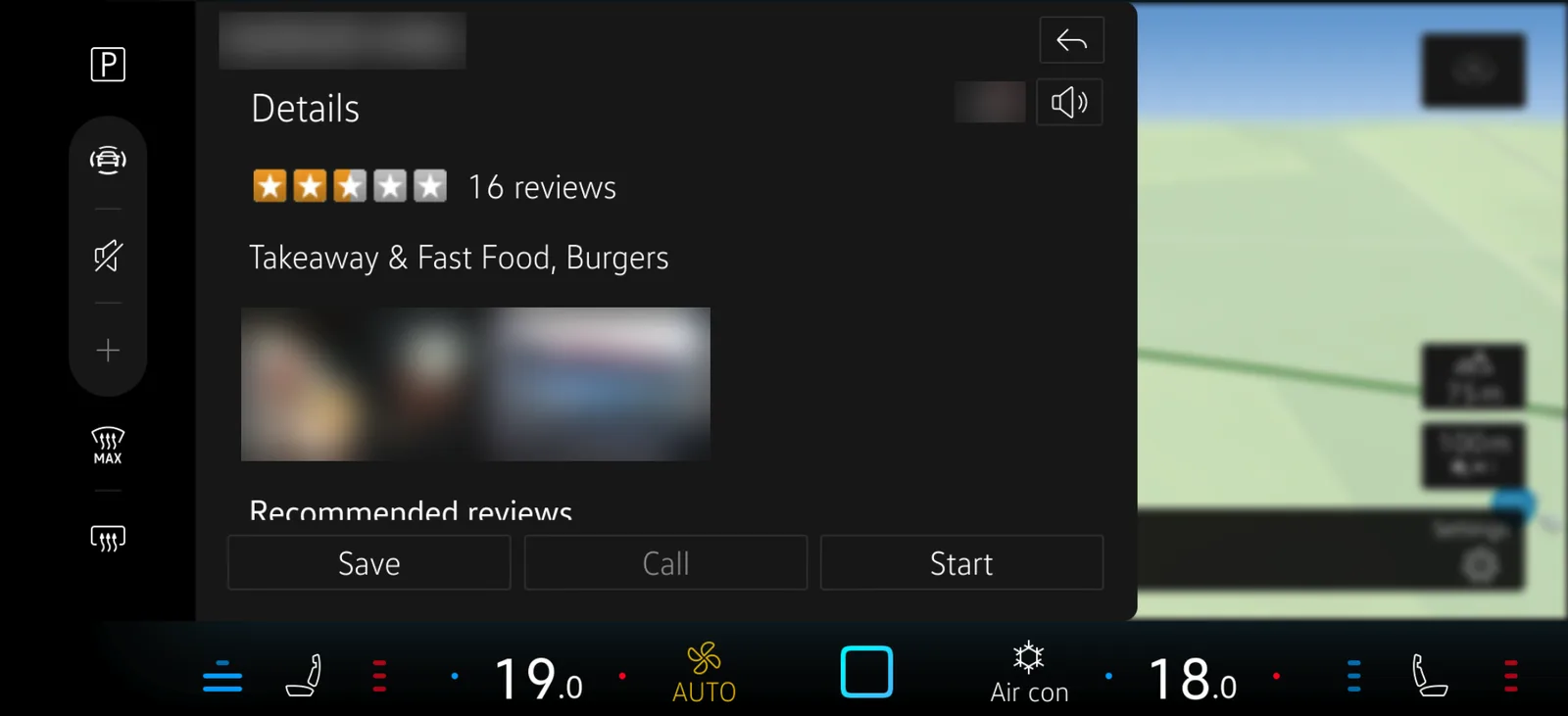
Voice-enabled search for restaurants, sights and services, with real-time data and clear results.
WhyHigh information density balanced with readability; the detail view shows up-to-date information from an online database.
04 · Outcome
What Changed
Measured in tests in a real car: how long drivers looked away from the road, how accurately they completed tasks on the screen while driving, how long tasks took, and how satisfied they were.
40%less driver distraction
7 → 3steps for key infotainment tasks
92%user satisfaction in usability testing
60%faster task completion across the web apps
100%compliance with automotive safety and HMI guidelines
15+reusable components for the design system
05 · Reflection
What I Learned
Designing for cars means understanding the technical ecosystem deeply: web apps inside a native HMI behave differently from standalone apps.
Designing for hard conditions, like gloves or bright sunlight, made the apps easier for everyone, not only for edge cases.
Changing the handoff tool changed the collaboration: with Sympli, developers inspected the UI themselves, and specs could focus on behaviour.
Testing in realistic driving simulators revealed problems that static prototypes missed, especially glanceability and touch accuracy.